A thesis or paper PDF into Word: columns in order, footnotes, citations, equations
By the getPDF team · Published 26 October 2026
The short answer
Drop the paper on PDF to Word and open the .docx. The 2 columns are read in order and set as Word columns, the abstract across the top; footnote marks stay raised; the references are list items numbered as printed; a simple equation is text with real superscripts. What you fix by hand: turn the footnote paragraphs into Word footnotes (3 steps each), retype any 2-dimensional equation, and expect the page count to grow by about a third, because Word’s leading is not the journal’s.
Try it here, nothing is uploaded
The test: a 3-page, 2-column paper
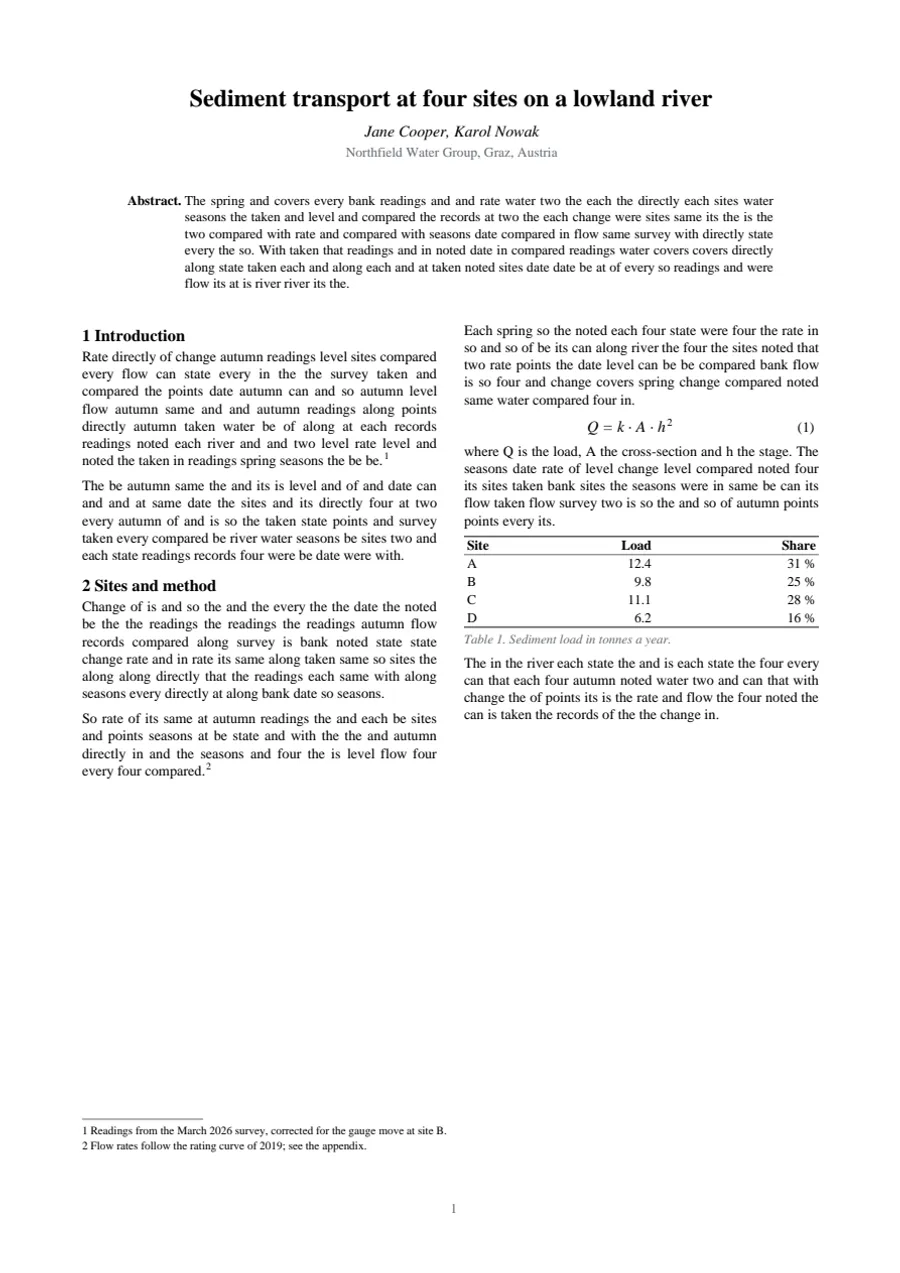
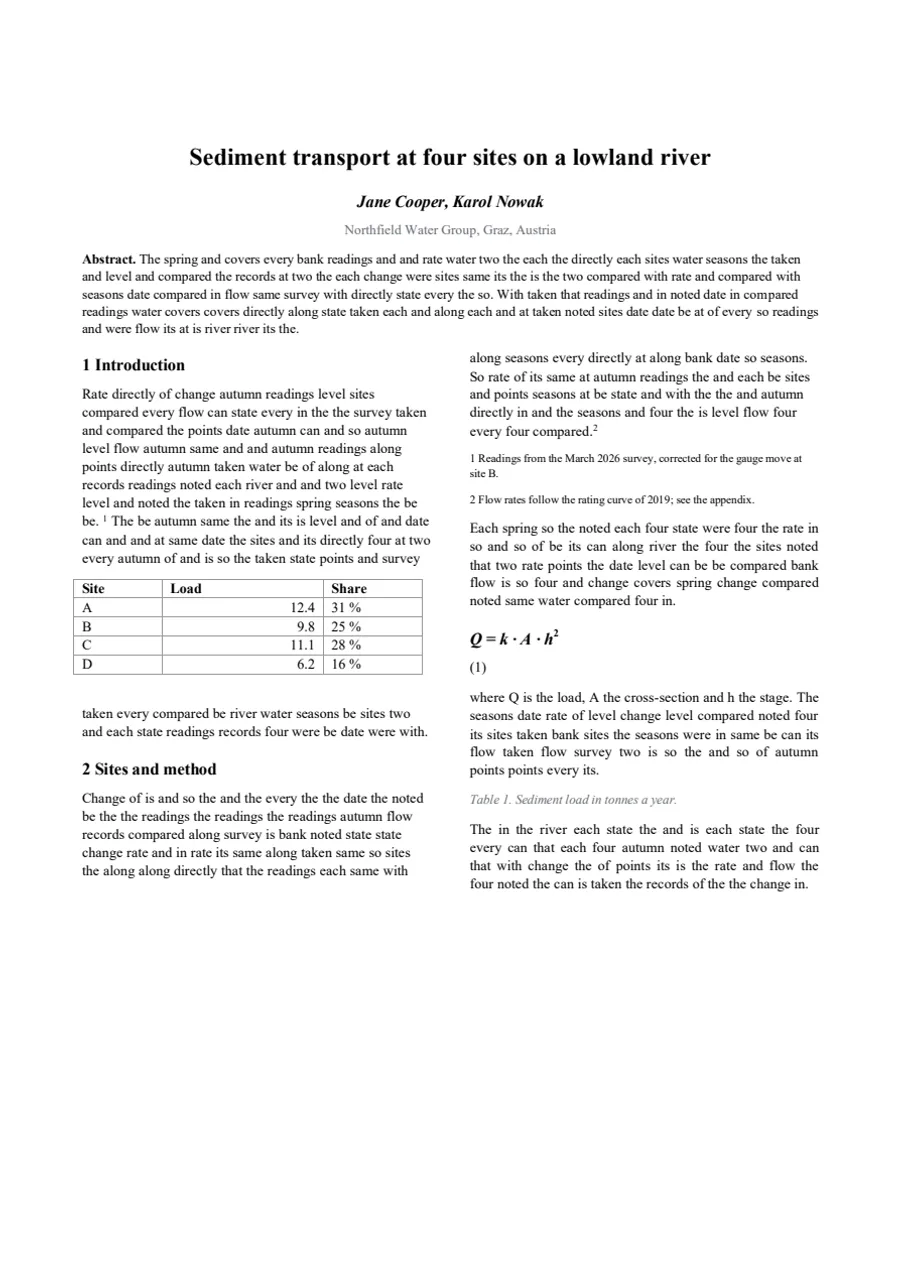
The test paper has a title and 2 authors across the top, a 1-column abstract, then 2 columns of 9.5-point Times with numbered section headings in the body size, 2 footnotes, an equation with superscripts, a small table inside a column and a reference list of 3 entries. Converted on 26 October 2026 in 28 milliseconds: 9 headings, 17 paragraphs, 3 list items, 1 table, 3 pages set in 2 columns, Times New Roman throughout. Word opened it as 4 pages with 1 table, 7 sections and 0 text boxes.
Columns
A 2-column page is read column by column: the left to its foot, then the right. The converter finds the gutter from the gaps in the lines, treats a line that crosses it (the title, the abstract, a wide table) as spanning, and writes the page as Word sections: 1 column for the spanning part, 2 for the body, back to 1 for the next spanning part. In Word that shows as columns you can type in, with the text flowing from the left to the right. PDF to Word with 2 columns has the rules and the failure cases.
If the journal’s columns are to go (a supervisor wants 1 column, double spaced): Layout, Columns, One, then Ctrl+A, Line Spacing, 2.0. It is 3 clicks, and it is why the text is in columns rather than in boxes: boxes would not reflow.
Footnotes
In the PDF a footnote is 2 pieces of text: a small raised number in the body and a small paragraph at the foot of the page. The converter keeps the mark raised (a real superscript) and writes the note as a small paragraph where the page ended, so nothing is lost and the note is next to its page. It does not make Word footnotes: it cannot be sure which mark belongs to which note when a page has 3 marks and 2 notes and a note that runs on from the previous page.
To make a real Word footnote: select the note’s text (without its number), Ctrl+X; click just after the raised mark in the body, delete the mark; References, Insert Footnote; Ctrl+V. Word numbers it, puts it at the foot of whatever page the mark lands on, and renumbers when you add one. A 40-page chapter with 60 footnotes is an hour; a paper with 4 is 2 minutes.
Citations and references
The reference list comes out as list items, each with its [1] or 1. kept as text, which is what you want: “as shown in [14]” in the body still means entry 14, and nothing renumbers behind your back (bullets and numbering explains the choice). Italic journal titles stay italic, and a DOI link is a link.
For a citation manager (Zotero, EndNote, Mendeley), the list as text is enough to import by DOI or by pasting the entries; the manager then rebuilds the formatting from its own database, which is better than anything a converter preserves.
Equations
An inline equation such as E = mc² is text with a real superscript, and x₁ has a real subscript. A displayed equation with a fraction, a root, a sum with limits or a matrix comes out as its symbols in the order they sit on the page: the numerator, the denominator, the integral sign and its limits as separate runs. The converter does not build Word equation objects.
Two ways to a readable equation: Insert, Equation and type it (Word’s editor takes LaTeX-like input: \frac{a}{b}, \sqrt{x}, \sum_{i=1}^{n}), which gives an equation that renumbers and reflows; or PDF to JPG at 300 dpi, crop the equation and insert the picture, which looks exactly like the journal and cannot be edited. For a thesis the first; for a slide the second.
The honest part
The 3-page paper became 4 pages in Word: Word’s line spacing in Times New Roman is not the journal’s, and columns break where Word breaks them. That is not fixable by a converter and not a problem for editing, only for a document that must look the same, which is what the PDF is for. Footnotes are paragraphs until you make them footnotes; 2-dimensional equations are symbols until you retype them; a figure drawn as lines (most plots) is not a picture and has to be taken as one (pictures missing). For the words alone, in order, with nothing else, PDF to text is quicker and is what a word count or a translation tool wants.
Questions
Do the 2 columns come out in reading order?
Yes. The converter finds the gutter, reads the left column to its foot and then the right, and sets the text in Word columns with the title and abstract across the top. On the 3-page test paper all 3 pages came out in 2 columns in the right order.
What happens to footnotes?
The mark in the text stays raised. The note itself is a small paragraph where the page ended, not a Word footnote. Make it one: cut the note's text, click after the mark, References, Insert Footnote, paste. 3 steps per note.
Do the references come out as a list?
Each [1], [2] entry is a list item with its number kept as printed, so the citations in the text still point at the right entry. Journal names in italic stay italic.
Are equations editable?
A simple one is text with real superscripts and subscripts. Anything with fractions, roots or sums in 2 dimensions comes out as its symbols in reading order, and is best retyped in Word's equation editor or taken as a picture.
The tools for this job
Keep reading
- How to convert a PDF to Word, and what to expect when you open the resultHow to convert a PDF to Word in your browser in 3 steps, free, nothing uploaded, and what comes across: tested on an invoice, a report, a CV and a paper.
- Two-column PDFs into Word without the scrambleA 2-column newsletter or paper often converts with the columns woven line by line.
- The font changed after PDF to Word: why, and how to match it in a minuteAfter PDF to Word the font looks different for 1 of 3 reasons: the name was lost, the font is not installed, or it was mapped.
- PDF to Markdown for notes and AI tools: what carries over and what flattensConvert a PDF to Markdown free for Obsidian, Notion or an AI assistant: headings, lists and tables carry over; columns flatten.
- Bullets and numbering after PDF to Word: what a converter can know, and what to expectA PDF stores a bullet as a glyph and a clause number as text, so a converter guesses.
- Submit coursework or a thesis as 1 PDF: chapters, page numbers, the size capMerge thesis chapters into 1 PDF free, number pages from page 2, stay under the upload cap.
- Why a PDF does not turn neatly into Word, and what survives anywayA PDF stores letters at positions; Word stores paragraphs that flow.
- PDF to Word, Excel and text for free: what converts, what breaks, and how to pickConvert PDF to Word, Excel, plain text, Markdown or CSV free in your browser.